Preferences
How to build a complete notification preference center, powered by Knock and React.
This page covers how to build a PreferenceCenter React component with Knock's preference APIs. This component should be flexible enough to handle most of your needs and can easily be customized or extended for more specific use cases. If you want to reference a TypeScript example, you can find one in the Notion feed example.
Getting started
#Before you get started, we recommend reading the preferences overview docs and creating a default PreferenceSet for your environment. The API reference for preferences can also be helpful.
What you'll need
#To use this example, you'll need an account on Knock and you'll need to have identified a user. You'll also need:
- A public API key for the Knock environment (set as
KNOCK_PUBLIC_API_KEY)
Installing dependencies
#Modeling our preferences
#In this example we'll assume the user has a default PreferenceSet that contains workflows and workflow categories, each with it's own channel type settings. We'll expose this to our users as a "cross-hatch" so that they can set a preference for each channel type.
Creating our preference center
#The next step here is to create our preference center component. Create a PreferenceCenter.jsx file in your project and add the following import statements to the top of the file. After that, you'll need to create a new instance of the Knock client and authenticate it against a user:
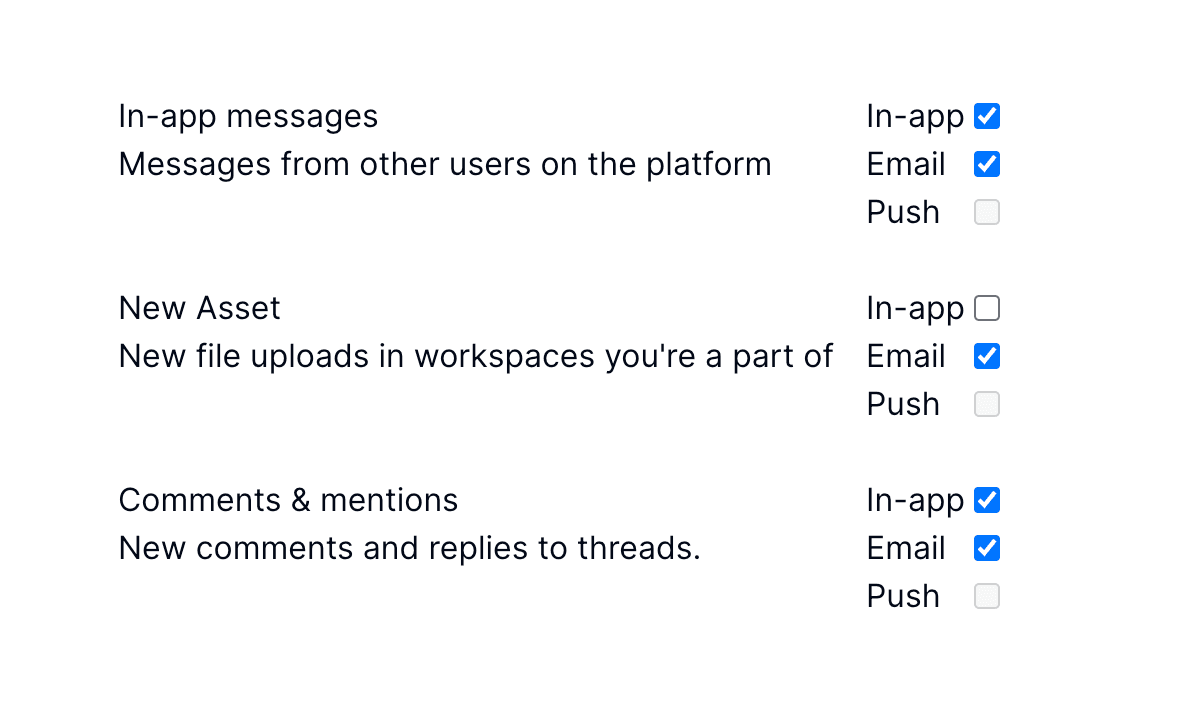
Completed preference center
#Knock's preference model is very flexible, but you should find that the component below will satisfy most of your preference center needs and can easily be used as a starting point for your own preference center.